
You will need to find the "IP scan icon" on the server. Here is an example below.
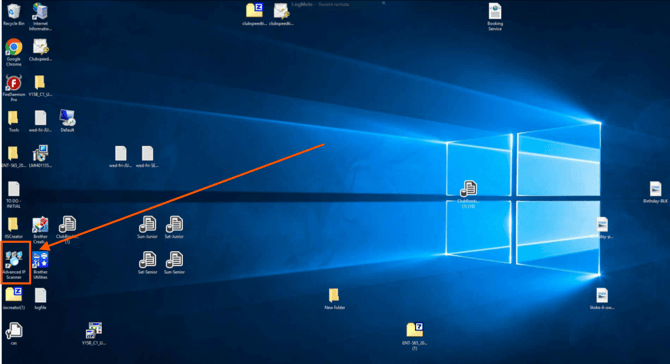
Once you have enter the program, click on Scan.
This will Scan all the devices that are connected to the server.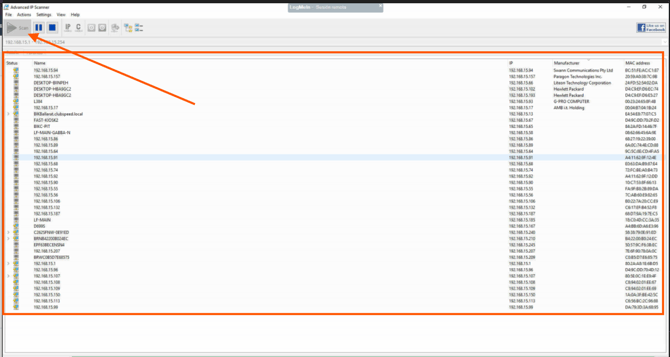
Remember... If you need to add a device, the IP address needs to be Non-existent on this list.
For example if the 192.168.30 you will only need to change the last numbers that are not in the list.
192.168.02
192.168.03
192.168.05
192.168.07
192.168.13
192.168.14
192.168.16
192.168.17
Above is an example of the list, you can add, 192.168.04. 192.168.06, 192.168.11. since these IP's are not in the list there won't be any discrepancies.