
Before You Start:
- Have the customer’s account open.
Procedure:
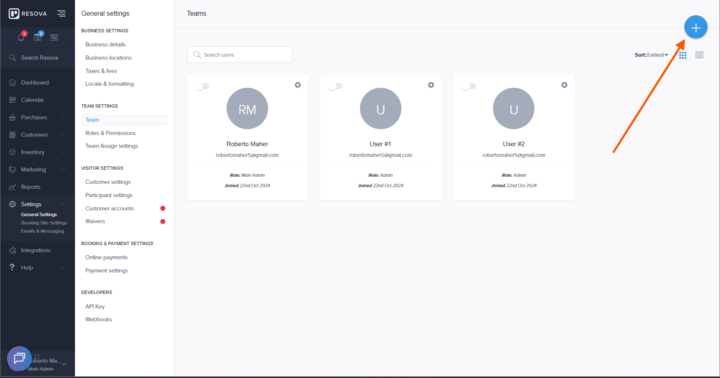
- On the left-hand side, go to Settings → General Settings.
- In General Settings, locate Team Settings.
- Click on Team, and in the upper-right corner, click the blue + icon to add a new member.
- Enter the new member’s first and last name, email address, and role.
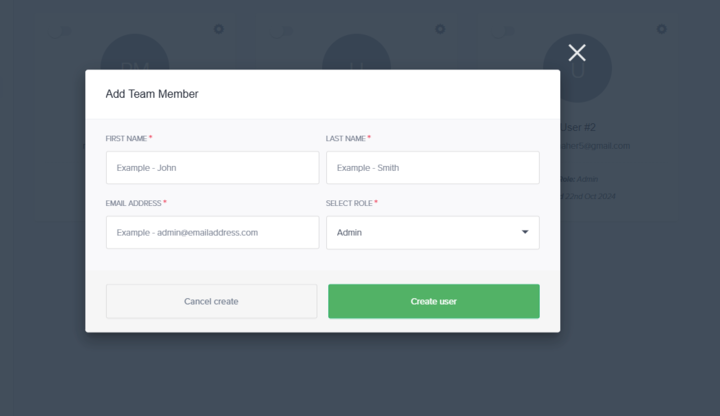
- If the correct role does not exist for the member, reference this KB for creating new roles:
Managing Roles and Permissions for Team Members
- If the correct role does not exist for the member, reference this KB for creating new roles:
- Once the member is created, you can edit and manage the member to:
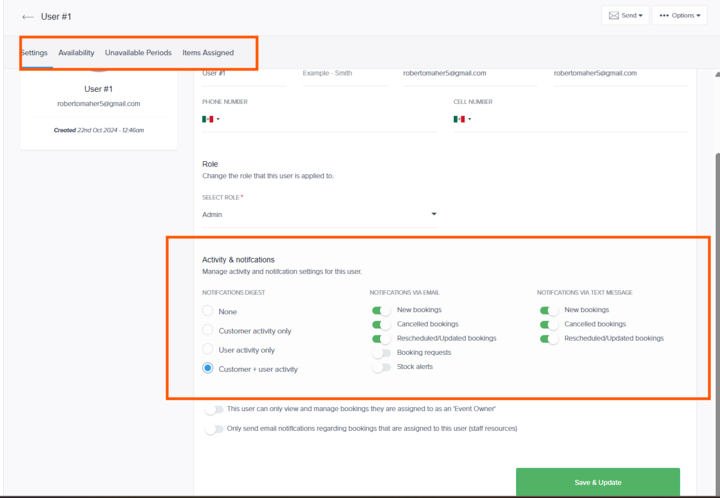
- Add their availability and unavailable periods
- Assign the products they will manage
- Manage the notifications they receive
- Add their availability and unavailable periods
And that is how you create a team member in Resova :)