
Procedure:
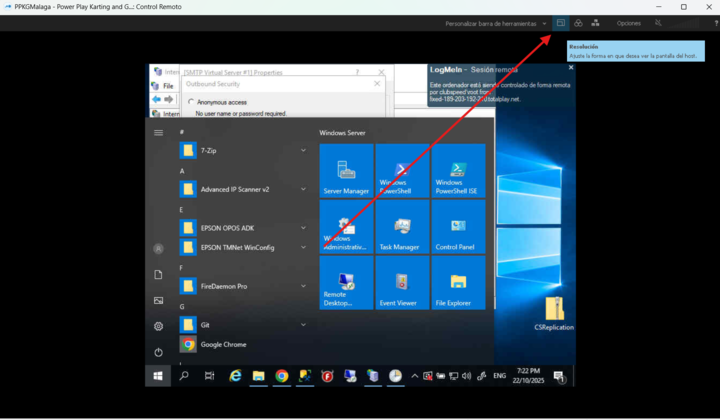
This is a simple process. Hover over to the upper right-hand corner of the screen and click on the two small rectangles icon, this is the option to change the resolution.
Please note that some servers may offer a wide range of resolution options, while others may have limited choices. If you don’t see any higher resolution options available, it means they are not supported on that particular server.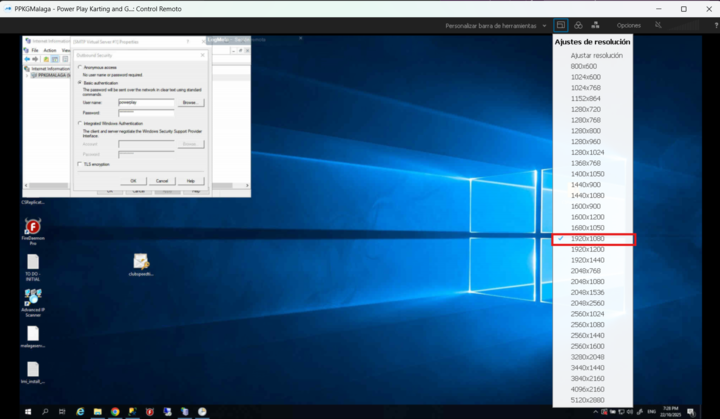
Otherwise, you can select your preferred resolution. The recommended setting is 1920x1080p for optimal display quality.