STEPS
Step 1:
Log in to sp_admin.
Step 2:
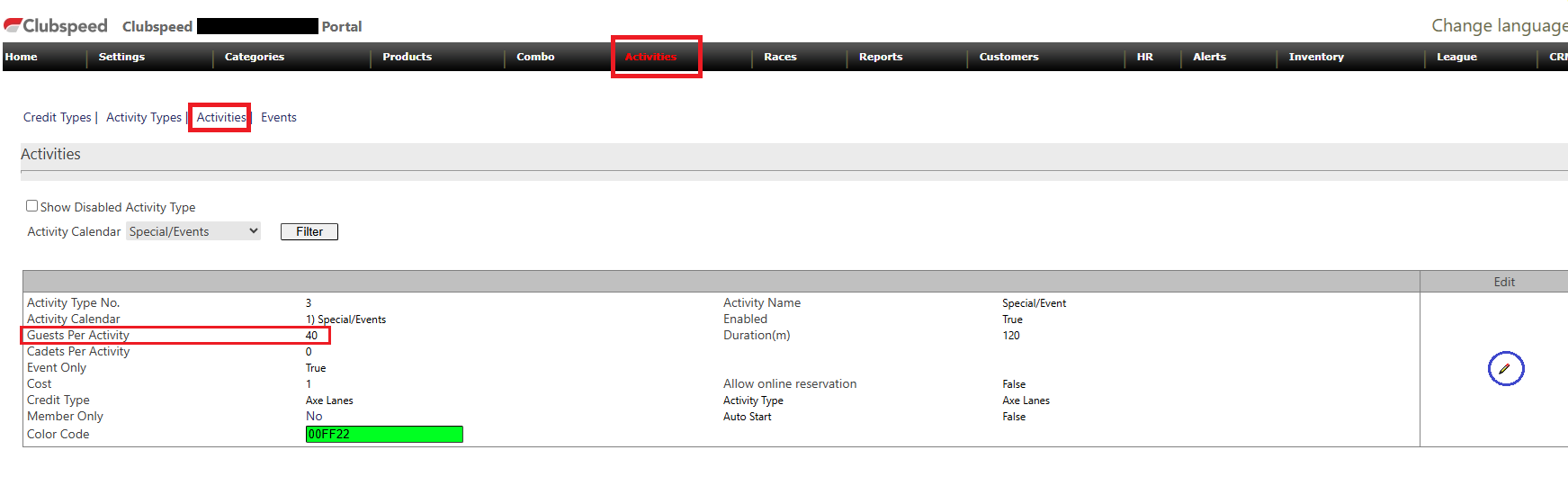
Navigate to Activities and select the activity you want to update.
Step 3:
Locate the Max Number of Lanes setting and change it to the number requested by the user.
Step 4:
Save the changes.

Log in to sp_admin.
Step 2:
Navigate to Activities and select the activity you want to update.
Step 3:
Locate the Max Number of Lanes setting and change it to the number requested by the user.
Step 4:
Save the changes.