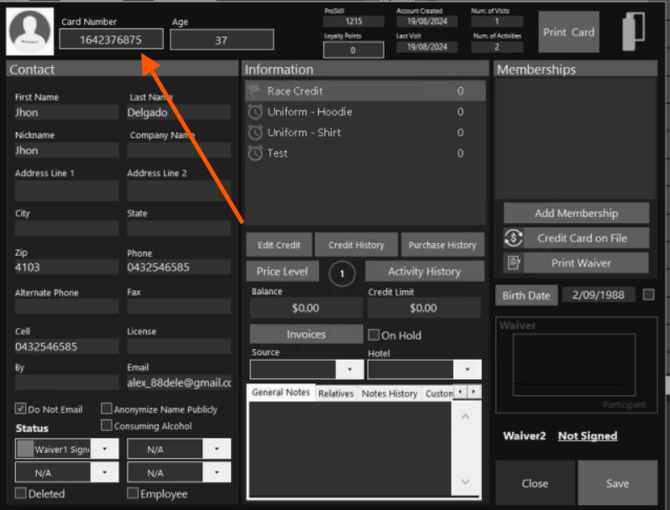
Before we get started, please ask the customer to open the guest’s profile in the POS and share the card number with you. This helps us quickly and accurately find the guest you’re looking for.
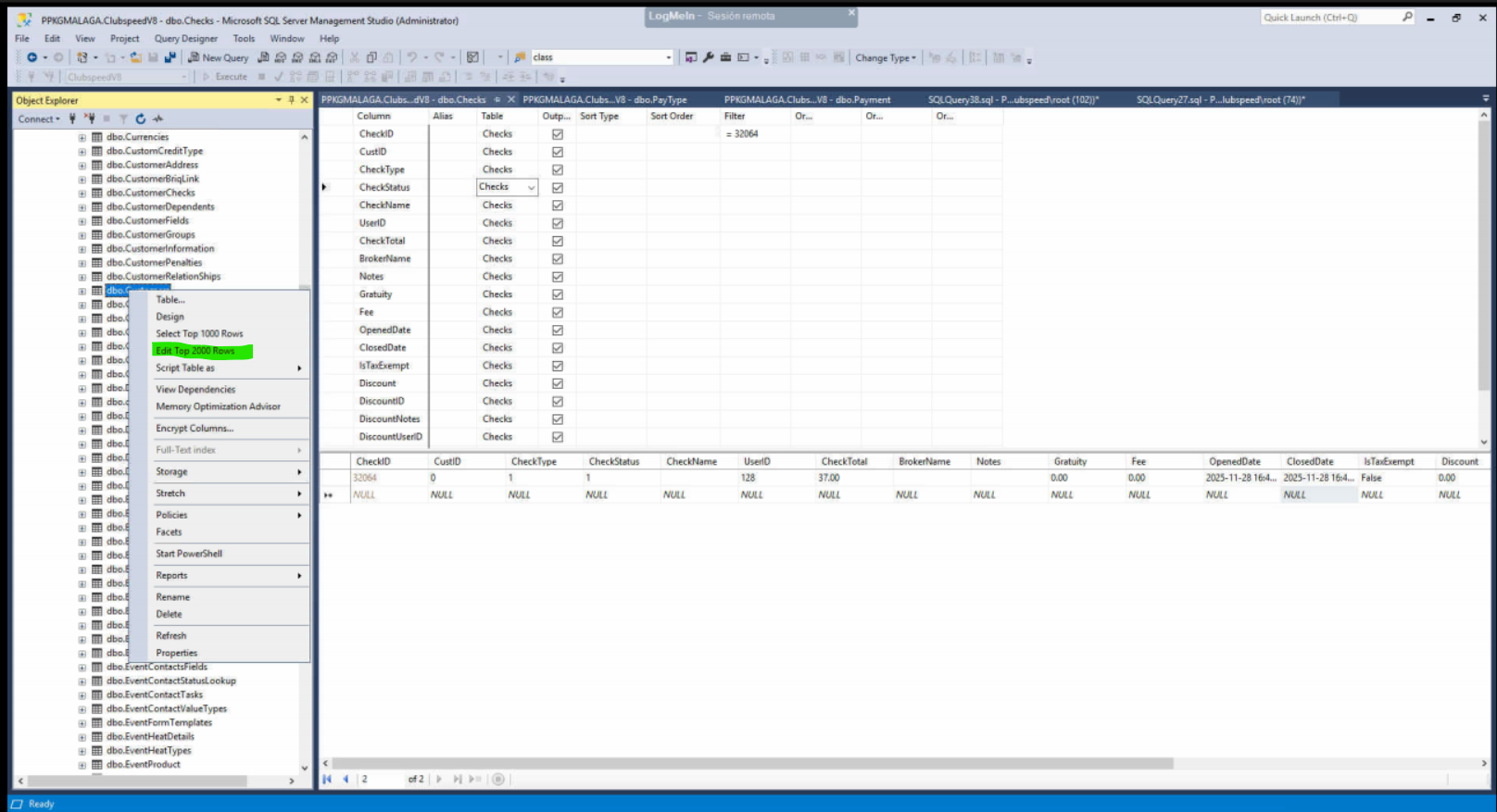
Once you have the Card number, open the database. expand ClubspeedV8> Expand tables> look for DBO.Customers > right click it and select "edit top 200/2000 rows"
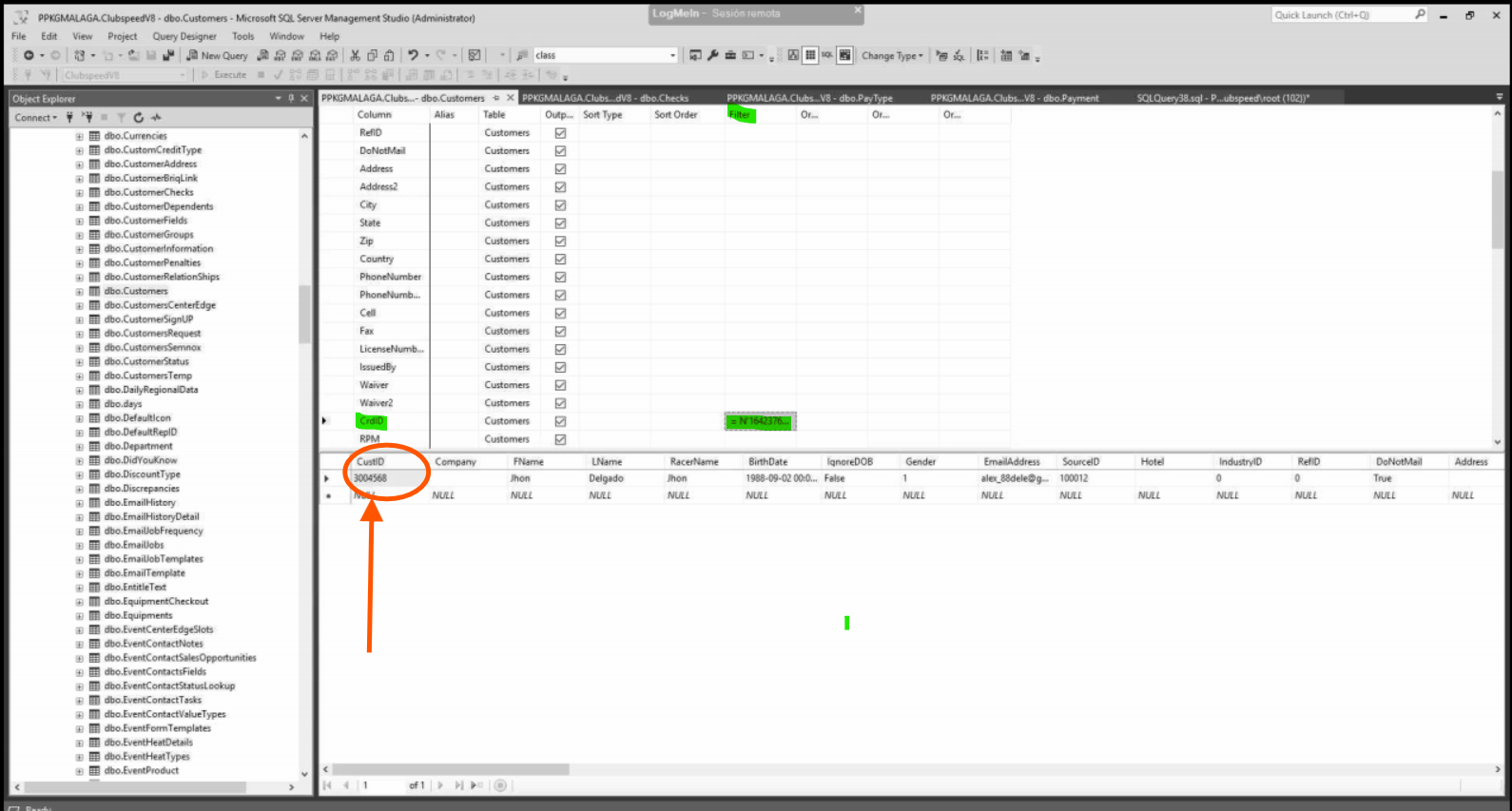
Enter the Card ID in the CrdID and filter, then search, it will show the customer and in the first part of the collum you will see the Customer ID.