
How to Cancel a Booking in Resova
-
Log in to your Resova account.
-
Go to the Calendar.
-
You can locate the booking directly on the calendar, or use the search bar on the left-hand side by entering the customer’s booking ID.
-
-
Select the booking.
-
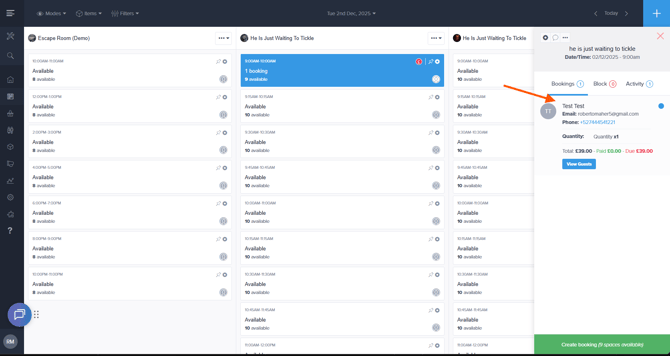
Click the booking on the calendar.
-
A panel will appear on the right-hand side.
-
-
Open the full booking details.
-
In the right-side panel, click on the booking details shown.
-
This will take you to the full booking page.
-
-
Cancel the booking.
-
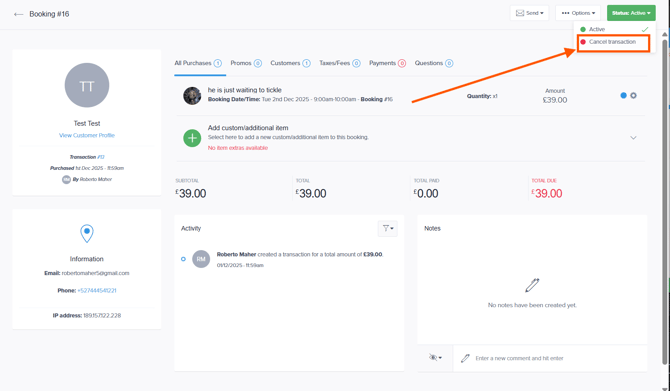
In the upper-right corner, you will see the current booking status.
-
Click the status and select Cancel Transaction.
-