
Here are some simple steps to disable or enable race results:
1. Log in to your SP_Admin portal.
2. Go to the Races tab.
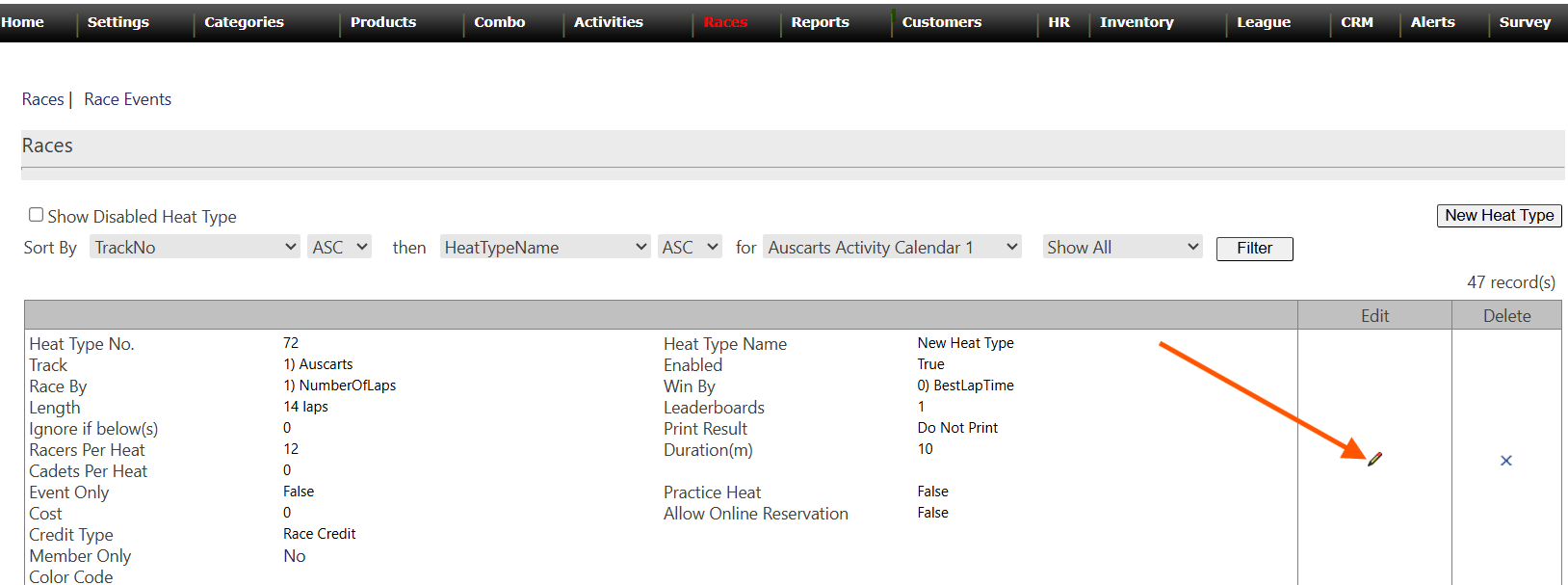
3. Click the pencil icon to edit the race where you want to turn auto-print on or off.
4. In the settings, look for the **Print result** option. You can choose **Do not print**, **Print automatically for all customers**, or **Print only for the first-place customer**.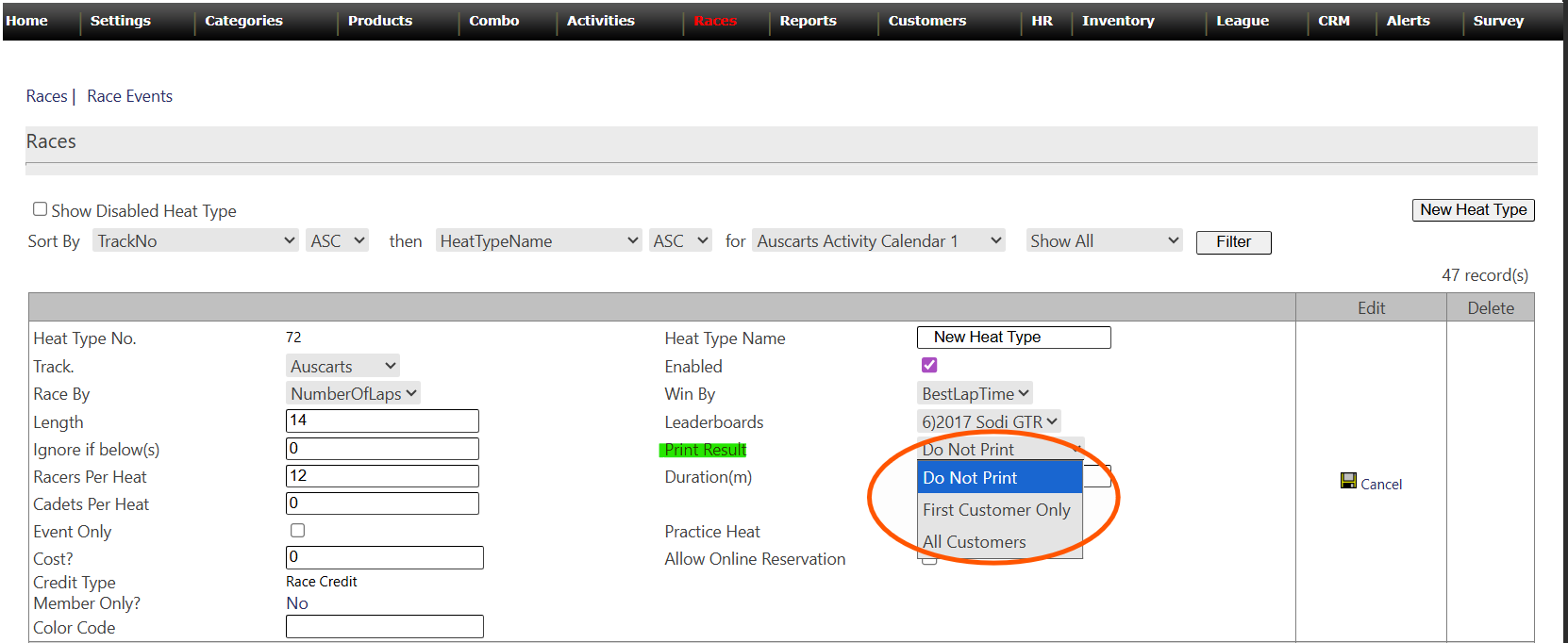
5.- Save the settings and you are done :D