
Step 1: Check the Customer’s Public IP Address for Blacklisting
First, obtain the customer’s public IP address.
-
Open a web browser and go to:
https://whatismyipaddress.com -
Copy the IPv4 address displayed on the page.
-
Navigate to:
https://mxtoolbox.com/ -
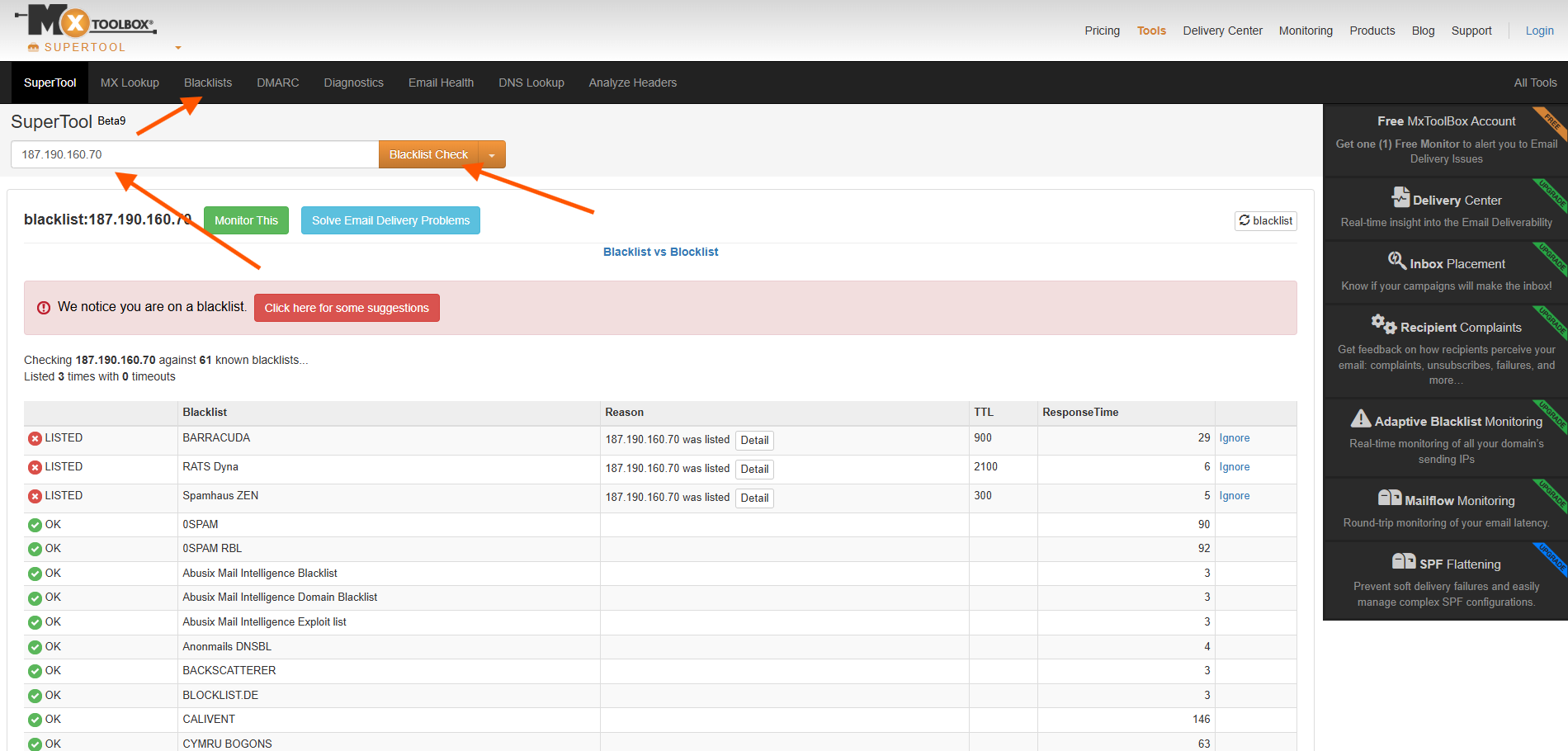
Select the Blacklist Check tab.
-
Paste the IPv4 address and click Blacklist Check.
Reviewing the Results
The results page will display any blacklist entries associated with the IP address.
-
The most common listing is Spamhaus ZEN
-
If any blacklist entries are present, the customer’s IP address is blacklisted
If the IP address is blacklisted, follow up with additional SMTP troubleshooting and advise the customer accordingly.